
Piano Beat: Music Game
Dream Tiles Piano Game StudioMusic
4.1109.00 Reviews
- Version
- 1.7.6
- Installs
- 50.00M
- Age Rating
- Teen
Screenshots

Our Review of Piano Beat: Music Game
 Analysis by Appyee
My honest take on Piano Beat: Music Game starts with a practical point: it is free to download, so you can try the core experience without paying upfront. Optional in-app purchases range from $0.99 to $39.99 per item, which is a broad span; I would check the price of anything I considered buying rather than assume every extra offers the same value.
What you get without paying
For a music game, the main draw is the hands-on rhythm challenge: following notes on screen and trying to keep your timing steady. That makes the free entry point useful if you want a short musical distraction rather than a full instrument-learning course. I’d start by playing a few sessions before spending anything, then decide whether the available play is enough for your habits.
There is a meaningful difference between “free to start” and “everything you might want is free.” The purchase range makes that distinction worth keeping in mind. If an optional item catches your eye, consider whether it changes your enjoyment or simply adds something you can do without. I can recommend trying the game at no cost; I would not recommend buying anything until you know what you personally want from it.
A quick rhythm break, not a piano lesson
I find this kind of tap-to-the-beat format best when I have a few spare minutes and want to focus on one small task. A commute, a wait before an appointment, or a quiet break at home can all suit a short session. The useful challenge is coordinating what you see with the beat; it can sharpen attention in the moment, but I wouldn’t treat that as a substitute for learning piano technique, reading notation, or practicing on a keyboard.
That distinction also helps set expectations about music choice. A game built around tapping timed prompts asks you to respond to its presentation of a song, while a music player lets you choose what to hear without demanding input. If I want active play, I’d choose this kind of game; if I want to listen while working or unwind without a score to chase, I’d use a regular music app instead.
Who is likely to enjoy it
I’d point it toward casual players who like rhythm challenges and enjoy trying to improve through repetition. It may also suit someone who wants an easy game to pick up without first learning complicated controls. On the other hand, players who want deep musical instruction, unrestricted song selection, or a purely relaxing experience may be happier with a piano-learning app, a different rhythm game, or a streaming service.
A realistic way to try it is to make the first session a small test rather than a long commitment: choose a track, see whether the timing feels satisfying, and notice whether you want another attempt. If the appeal is chasing a cleaner run, replaying can be part of the fun. If repeated taps start feeling more like a chore than a musical challenge, that is a good sign this format may not be for you.
Small decisions that improve the experience
I’d use headphones when I want to pay closer attention to the beat, especially somewhere noisy, and keep the volume comfortable. I’d also avoid judging my ability from one difficult attempt: timing games reward concentration, and interruptions can make a familiar pattern feel harder. A short, focused session is a better test of whether the game suits you than playing while distracted.
One trade-off with rhythm games is that the screen competes for attention with the music. The task is not simply to enjoy a song; you are watching for cues and reacting at the right moment. That can make a familiar track feel engaging in a new way, but it can also make the session less relaxing. I’d choose based on the mood I’m in rather than expecting every play to feel like listening to music.
The game is made by Dream Tiles Piano Game Studio. It is a music game rated Teen, and it has an average rating of 4.4 from around 20,000 ratings, with more than 10 million installs. Those figures suggest a sizable audience, but they cannot tell me whether its rhythm style or purchase options will suit a particular player. I’d still judge it by trying the free experience for myself.
Getting Started with the Beat
First off, downloading Piano Beat: Music Game was a breeze. Available on both Android and iOS, it's a quick download and you’re ready to go in no time. Once installed, you're greeted with a vibrant interface that immediately pulls you into its musical world. The app's design is sleek and intuitive, making navigation a piece of cake. Whether you're a newbie or a seasoned player, you'll find your way around without a hitch.
Gameplay That Hits the Right Notes
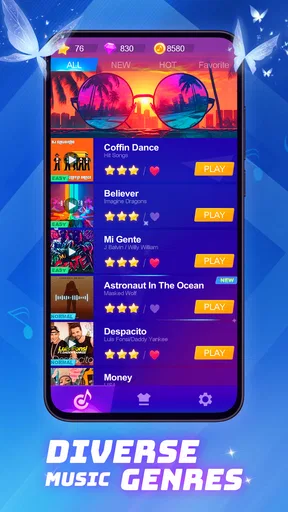
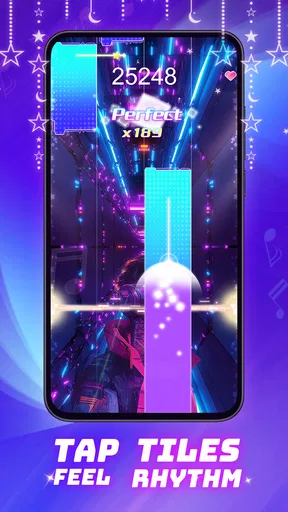
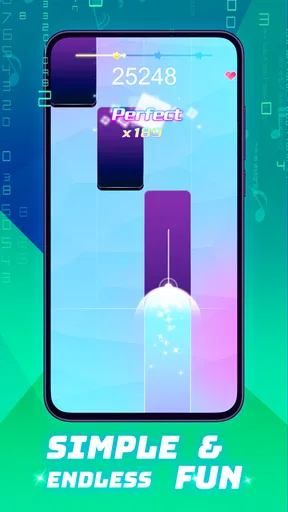
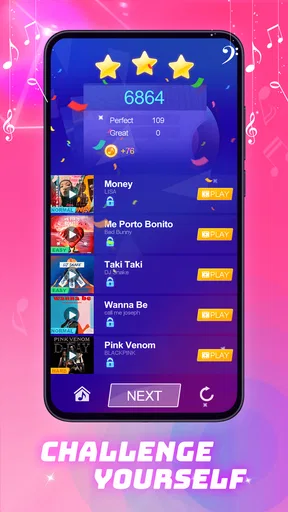
The premise is simple but addictive: tap on the notes as they cascade down the screen to the beat of the music. The library of songs is impressive, featuring everything from classical masterpieces to pop hits. As someone who loves variety, this was a major plus for me. I spent quite a bit of time just scrolling through the options, trying to decide what to play next.
What's cool is the way the game challenges your reflexes and timing. The difficulty ramps up gradually, so you're always on your toes. I found myself replaying songs to beat my previous scores, and trust me, it’s hard to put down once you get into the groove.
For a fair comparison, I’d place this alongside quick, score-focused rhythm games rather than dedicated piano tutors. The appeal is immediate feedback and another chance to improve a run, not a structured lesson plan. Compared with a tutor app, that means less emphasis on building transferable keyboard skills; compared with a passive music player, it asks more of your attention and hands. That middle ground is exactly why it can work well as a casual game, but it also defines who should look elsewhere.
Sound Quality and Visuals
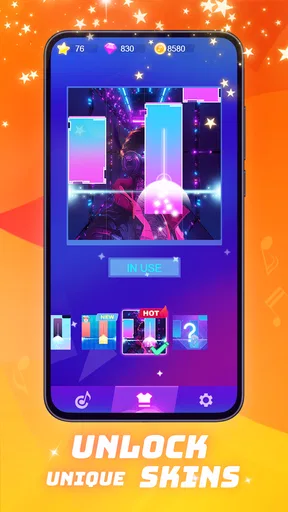
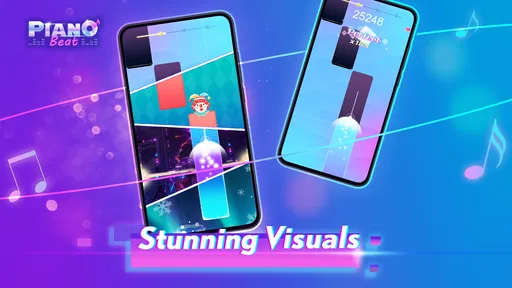
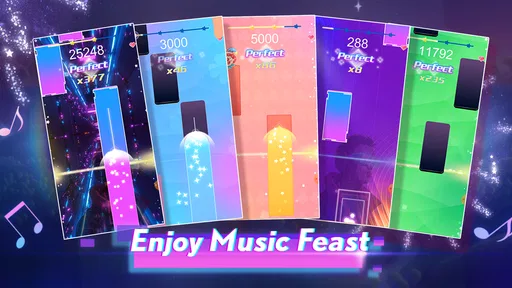
One of the standout features for me was the sound quality. The audio is crisp and clear, making you feel like you’re right there in a concert hall. The visuals complement this perfectly. With vibrant backgrounds and smooth animations, it’s a feast for both the ears and eyes.
The developers have done a stellar job of ensuring everything runs smoothly without any lags or glitches. Even on older devices, the game runs like a charm. This attention to detail really enhances the overall experience.
Community and Updates
Another aspect worth mentioning is the community. There are leaderboards and challenges that keep things competitive and fun. It’s always exciting to see how you stack up against other players worldwide. Plus, regular updates mean there’s always something new to look forward to, whether it's new songs or features.
The developers seem committed to keeping the game fresh and engaging, which is always a huge plus in my book. It shows they really care about their players’ experience.
How I’d decide whether to spend
My buying advice is deliberately simple: treat the free download as a trial, not a promise that every possible extra is included. The game is free, while optional purchases are priced from $0.99 to $39.99 per item. That tells me there are paid choices, but it does not make every choice automatically worthwhile. I’d only pay for something after identifying what it adds for my own play, and I’d skip it if I was already enjoying the game as it is.
If you are choosing between this and another music game, think about the kind of effort you want. A rhythm title is a better fit when you want to react, replay, and chase improvement. A piano-learning app is the more sensible route if your goal is lessons and practical playing skills. A streaming app is better when you want background music without taps or scores. None of those alternatives is universally superior; they serve different moods and goals.
In-App Purchases and Monetization
Now, let's talk about the elephant in the room – in-app purchases. Yes, they’re there, but they don’t feel intrusive. You can access a lot of content for free, and the purchases are more about enhancing your experience than anything else. I found it pretty reasonable, especially since you get so much without having to spend a dime if you don't want to.
For those who want to unlock even more songs or remove ads, there are options available. It’s all about how you prefer to play.
For anyone concerned about how quickly a free game might turn into a purchase, my practical approach is to make no purchase during the first session. Play enough to understand what you enjoy, then look at any offer in context rather than reacting to it mid-game. If you are choosing for a younger player, the Teen content rating is worth considering alongside your own household preferences, and purchases are something I’d discuss before handing over a device.
The current version is 1.6.9, and the game requires Android 6.0 or later on Android devices. It was released on June 20, 2025. Those details are useful when checking whether an older phone or tablet is a fit; they do not guarantee identical performance on every device. If your device is close to the minimum, I’d keep expectations practical and try a brief session before relying on it for regular play.
Final Thoughts
So, should you give Piano Beat: Music Game a whirl? Absolutely. Whether you're a music aficionado or just someone looking to kill some time with a fun game, there's something here for everyone. The combination of engaging gameplay, stunning visuals, and a fantastic song library makes it a winner in my book.
So go ahead, download it, and let your fingers do the talking. Happy playing!
My verdict on value
I’d recommend giving it a try if you want a free-to-start rhythm game and enjoy the small satisfaction of improving a timed run. I’d skip it if what you really want is formal piano instruction, hands-off listening, or a clear commitment that every desired extra will cost nothing. For me, its value is strongest before spending: test the play style, see whether it earns a place in your spare moments, and only then decide whether any paid option is worth it.
Privacy and Permissions
See what permissions an app requests and how it handles your data.
- Photos/Media/Files
- read the contents of your USB storage, modify or delete the contents of your USB storage
- Storage
- read the contents of your USB storage, modify or delete the contents of your USB storage
- Wi-Fi connection information
- view Wi-Fi connections
- Other
- view network connections, full network access, control vibration, prevent device from sleeping, Google Play license check
Verdict
Strengths of Piano Beat: Music Game
- Engaging rhythm gameplay keeps you hooked.
- Wide selection of popular songs to play.
- Intuitive controls make it easy to learn.
- Visually appealing with vibrant graphics.
- Regular updates with new songs and features.
Limitations of Piano Beat: Music Game
- Ads can be intrusive and frequent.
- Limited offline play options available.
- In-app purchases can be pricey.
- Some songs require high skill levels.
- Occasional lag on older devices.
Other Releases by Dream Tiles Piano Game Studio
View All
Piano Game: Classic Music Song
Music4.0
Similar Picks in This Category
View All
Tiles Hop Music & Ball Game
AMANOTES PTE. LTD.4.3

Magic Tiles 3™ - Piano Game
AMANOTES PTE. LTD.4.6

Real Piano
Bilkon3.7
Piano Game: Classic Music Song
Dream Tiles Piano Game Studio4.0

Smash Colors: Music Ball Rush
BADSNOWBALL HONGKONG LIMITED4.2

Piano Music Go-EDM Piano Games
Joy Journey Music Games4.5
Frequently Asked Questions
What is Piano Beat: Music Game all about?
Piano Beat: Music Game is an engaging rhythm game where players tap on the screen to hit piano tiles in sync with the music. The game features a variety of songs across different genres, allowing players to enjoy a musical experience while honing their reflexes and timing skills. It is available for both Android and iOS devices.
Is Piano Beat: Music Game free to play?
Yes, Piano Beat: Music Game is free to download and play. However, the game offers in-app purchases that can enhance your experience, such as unlocking premium songs or removing ads. These purchases are optional, and you can still enjoy the core gameplay without spending any money.
What are the system requirements for Piano Beat: Music Game?
Piano Beat: Music Game is designed to run smoothly on most modern Android and iOS devices. For Android, it typically requires version 5.0 (Lollipop) or higher. For iOS, it usually needs iOS version 10.0 or later. Ensuring your device meets these requirements will provide the best gaming experience.
Can I play Piano Beat: Music Game offline?
Piano Beat: Music Game can be played offline, allowing you to enjoy the music and gameplay without an internet connection. However, some features, such as accessing new songs or leaderboard rankings, may require an internet connection to function properly.
Does Piano Beat: Music Game offer multiplayer options?
Currently, Piano Beat: Music Game focuses primarily on single-player gameplay. While it doesn't have a direct multiplayer mode, you can still compete with friends by comparing scores on leaderboards or sharing your achievements on social media platforms. This adds a social element to your gaming experience.
Play our best games!


